What Marea does so far
These parts are built and being tested in the TestFlight beta. Details may still change before release. All screenshots show invented data.
A calm first start, in your look
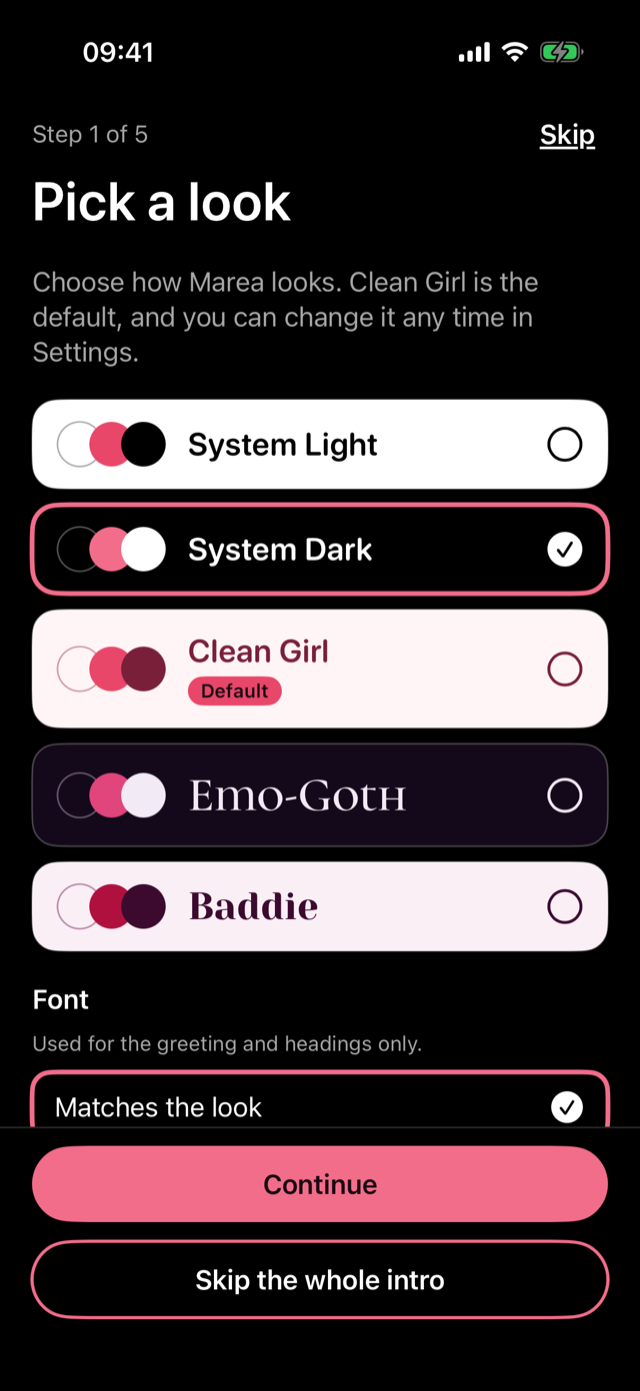
A short introduction of five steps: pick a look and a font, choose how the app should address you, choose the screen Marea opens on, decide whether to include Marea in your device's backups, and see how to lock or hide the app. Every step can be skipped, and so can the whole introduction.
A nickname is encouraged over your real name, so a screenshot you share does not identify you. You can also go nameless.
There are five looks: System Light and System Dark, which look like iOS, Clean Girl (pale, pinkish and playful, the default), Emo-Goth (dark), and Baddie (bolder, in reds and purples). You can pair a look with the font of another. The look changes how the app looks, never what it does or says. The names of the looks are working names too.
Today, and a window, not a promise
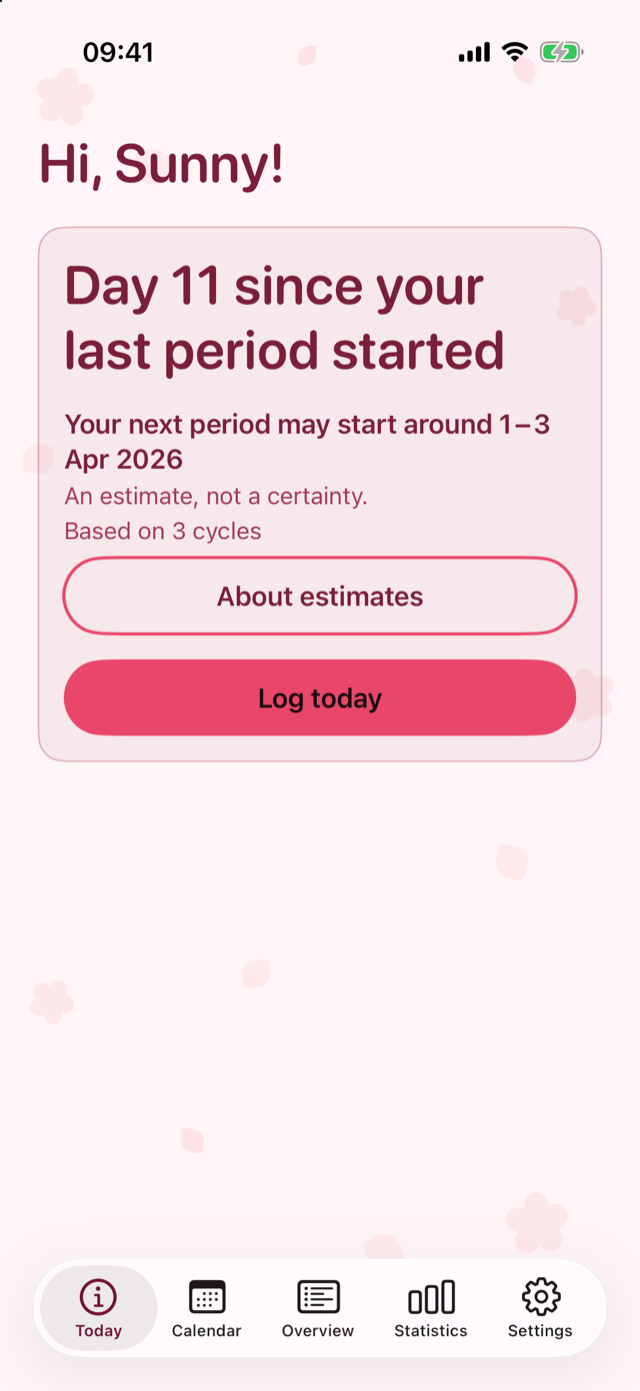
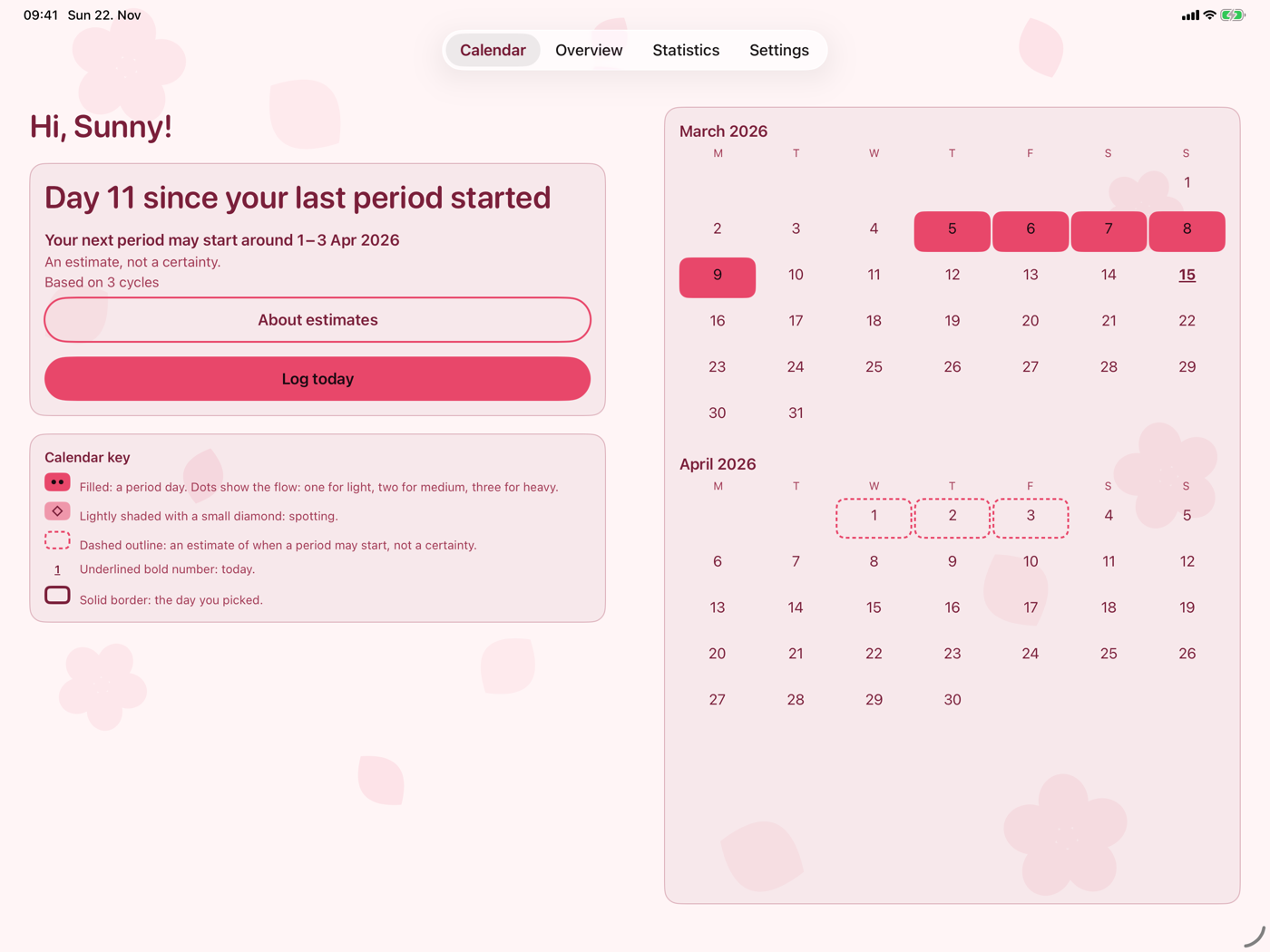
On iPhone, Marea has five tabs: Today, Calendar, Overview, Statistics and Settings. Today greets you and shows where you are in your cycle. In two columns, on iPad, the same card sits beside the calendar. You choose which screen Marea opens on.
After three complete cycles, Marea can show a window of days in which your next period may start, worked out only from your own records. It is an estimate, not a certainty, and it says how many cycles it is based on. A cycle much longer or shorter than your usual ones is left out of the estimate, and Marea tells you how many were left out. You can turn estimates off at any time, without giving a reason.
Log your periods
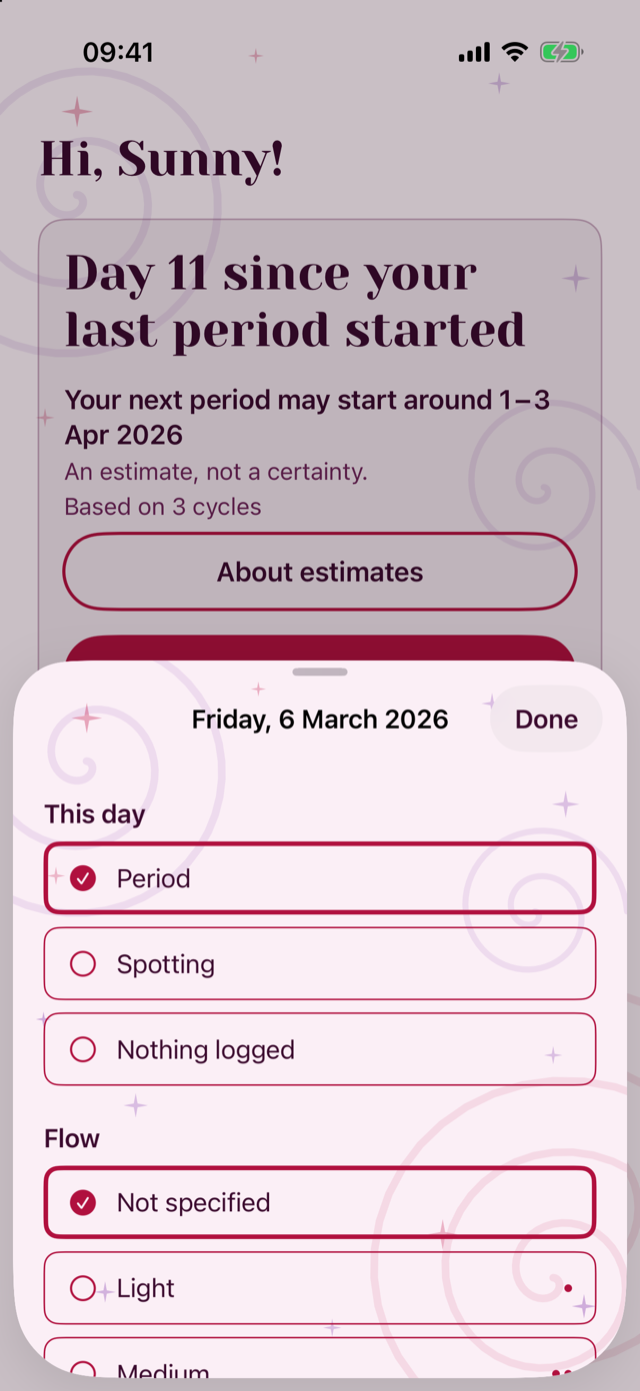
Tap a day on the calendar, or Log today, to mark a day as a period day, with an optional flow, or as spotting. Marea stores only what you enter, one day at a time. You can correct or clear any day up to today.
When you add a period you remember from the past, Marea asks how long it lasted and fills in those days for you, never past today and never over days you already logged. If you logged yesterday as a period day, Marea asks whether you are still on your period today. Otherwise it never fills in days by itself.
A calendar you can read without colour
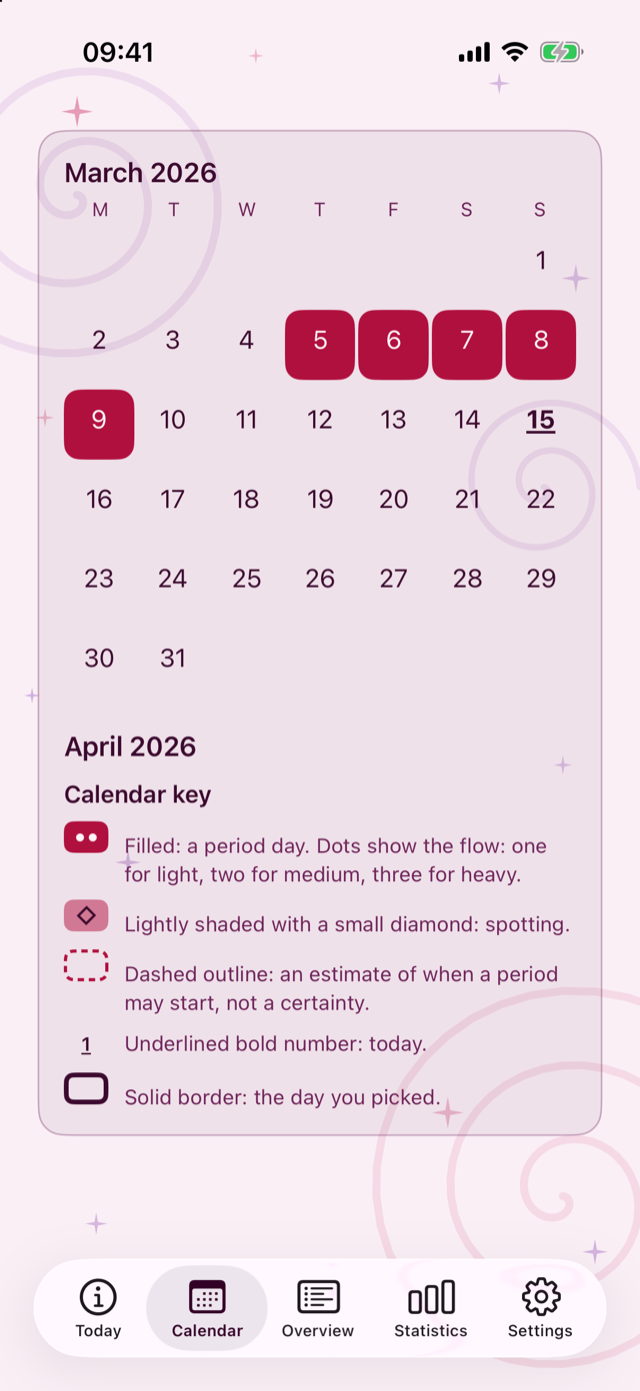
Period days, flow, spotting, the estimated window, today and the picked day each have their own shape or pattern, explained in a calendar key. Flow is shown by a number of dots, not by shades of colour.
The week can start on Sunday, on Monday, or as your device's settings say.
Your patterns and statistics
Overview shows your typical cycle length and period length, with the shortest and longest, and a list of your past periods, newest first.
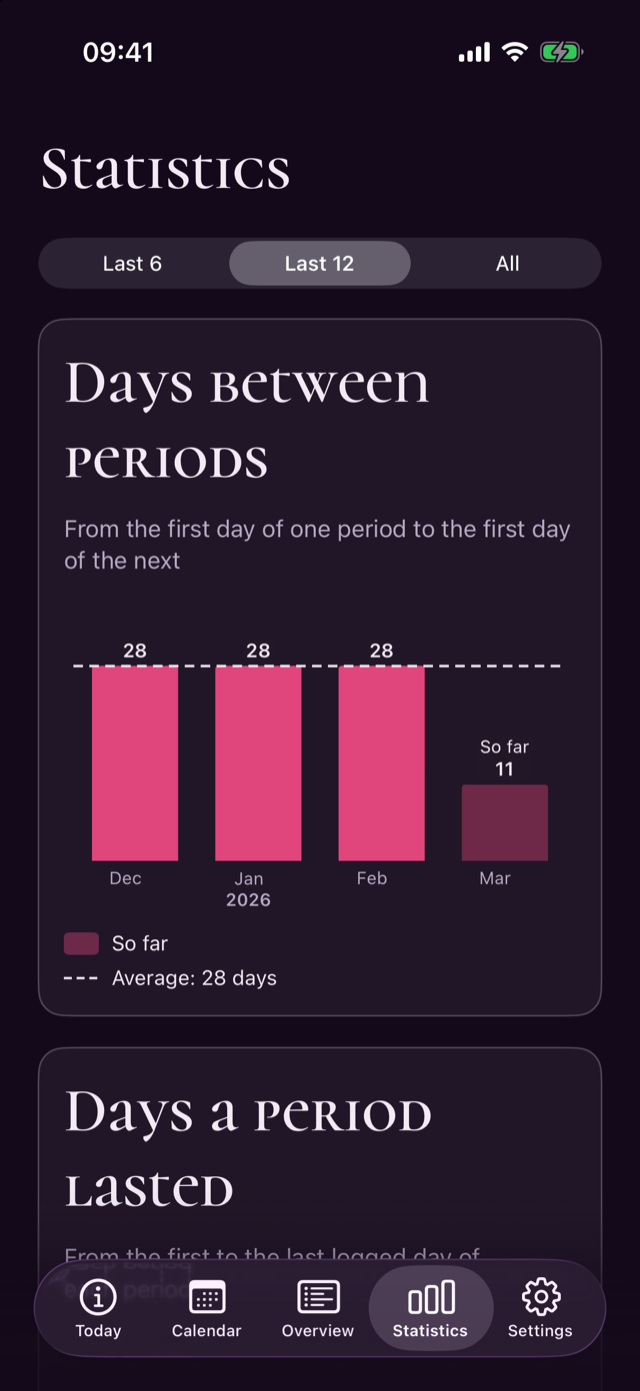
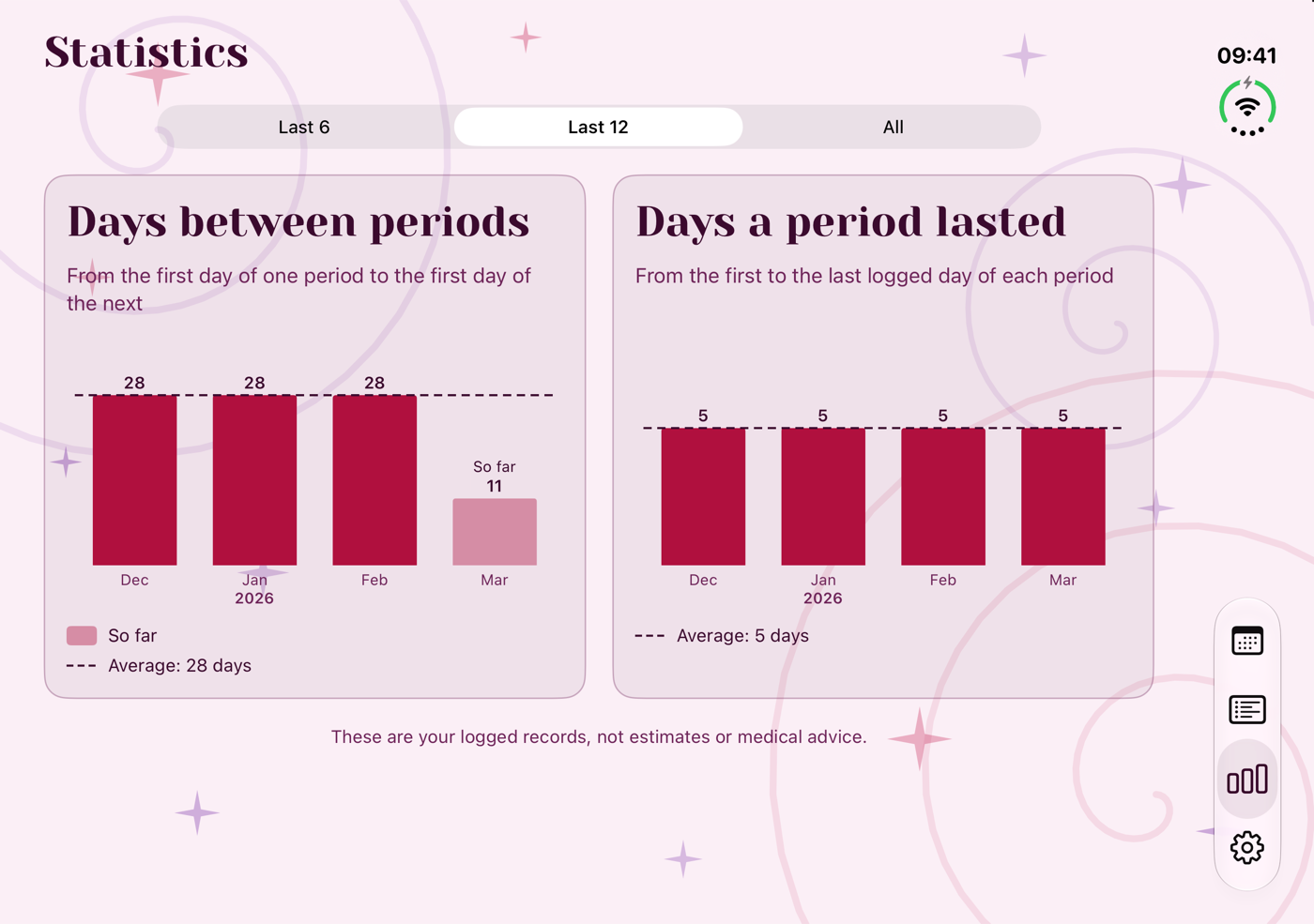
Statistics shows two bar graphs: the days between periods and the days each period lasted, over your last 6 or 12 cycles or all of them, with the average marked. The cycle still going on is labelled "so far". A cycle much longer than the others is striped and labelled, with a note that some days may not have been logged. These are your logged records, not estimates.
A report for your doctor
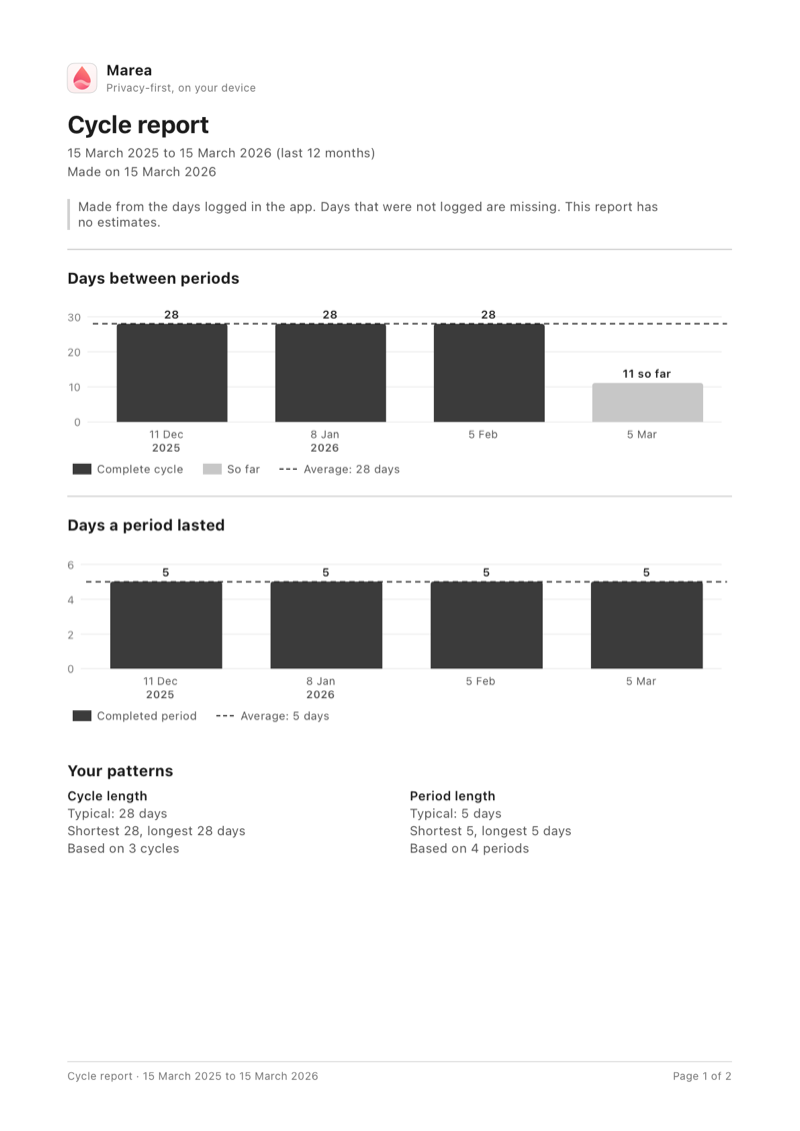
From Settings, Marea can make a PDF report of the last 6 months, the last 12 months, or everything: the graphs from Statistics, your patterns, a table of your periods, and your spotting days. It has no estimates and no nickname.
The report is made on your device, in the app's language, on A4 or US Letter paper depending on your region. You share it with the iOS share sheet, and Marea keeps no copy. Before it makes the report, Marea reminds you that anyone who gets it can read it.
Your data, in your hands
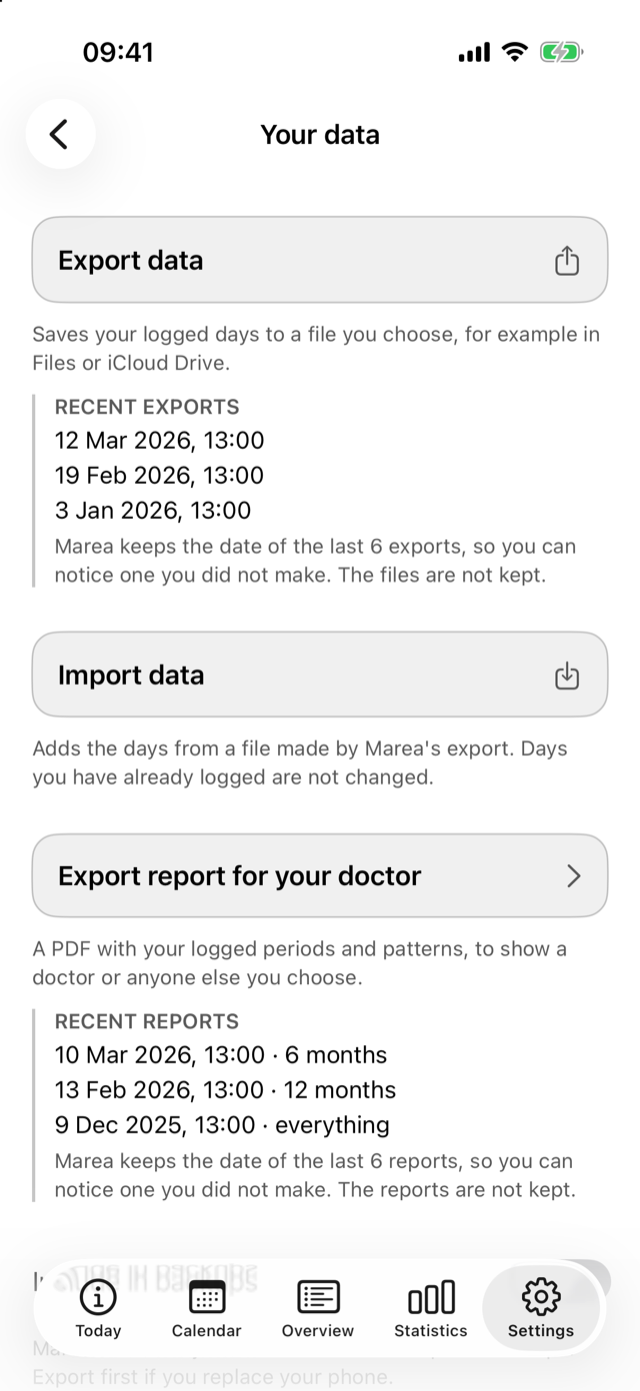
Export your logged days to a file and import them again later, or erase everything at any time. Marea keeps the date of your last 6 exports and last 6 reports, so you can notice one you did not make. It never keeps the files themselves.
By default, Marea's data is left out of iCloud and device backups. You can choose to include it in your device's own backups, in the introduction or in Settings. Marea explains first where those backups go and what that means.
Settings is arranged in sections, Name, Display, Screens, Your data and Language, and can be searched, as in the iOS Settings app.
iPhone, iPad and iPhone Duo
On iPad, and on iPhone Duo when it is open, Marea uses two columns. On a narrow window it uses the iPhone layout.
Hidden when you look away
When Marea is not in front, a plain cover hides its content, so the app switcher shows nothing of your data or your nickname. Marea sends no notifications, and nothing shows up in widgets or on the lock screen.
Marea does not give medical advice, and it makes no fertility, ovulation or contraception claims. It does not track pregnancy or contraception status.