Beta on TestFlight
A private cycle tracker and calendar.
Marea is a privacy-first menstrual tracker and calendar for anyone who menstruates. It runs on iPhone and iPad, works offline, and keeps your data on your device and under your control alone.
Opens Apple's TestFlight; you need the TestFlight app on your device. Marea is a working name and may change before release.
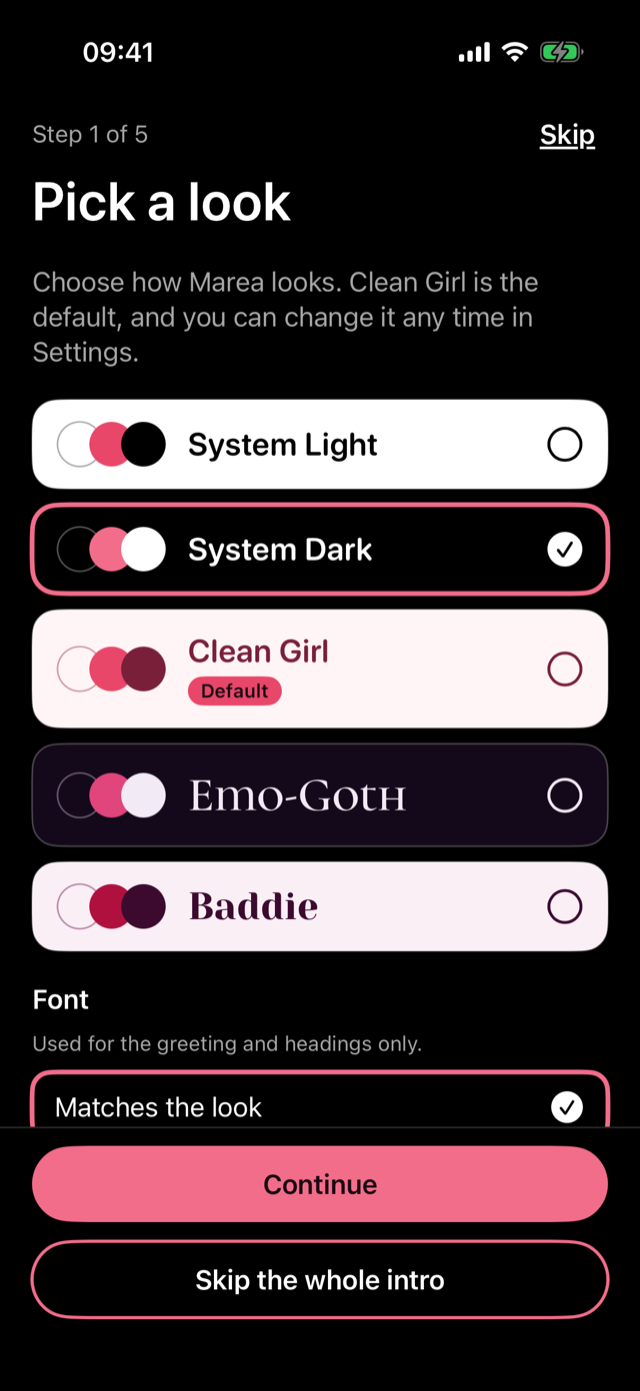
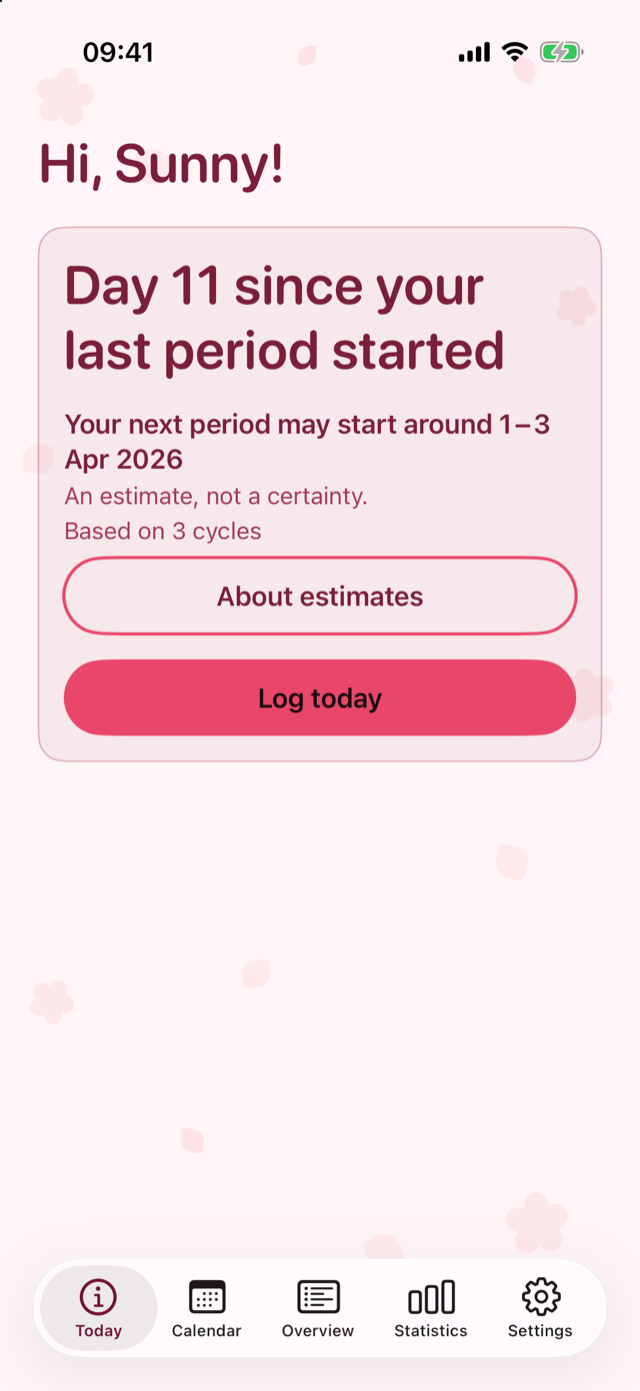
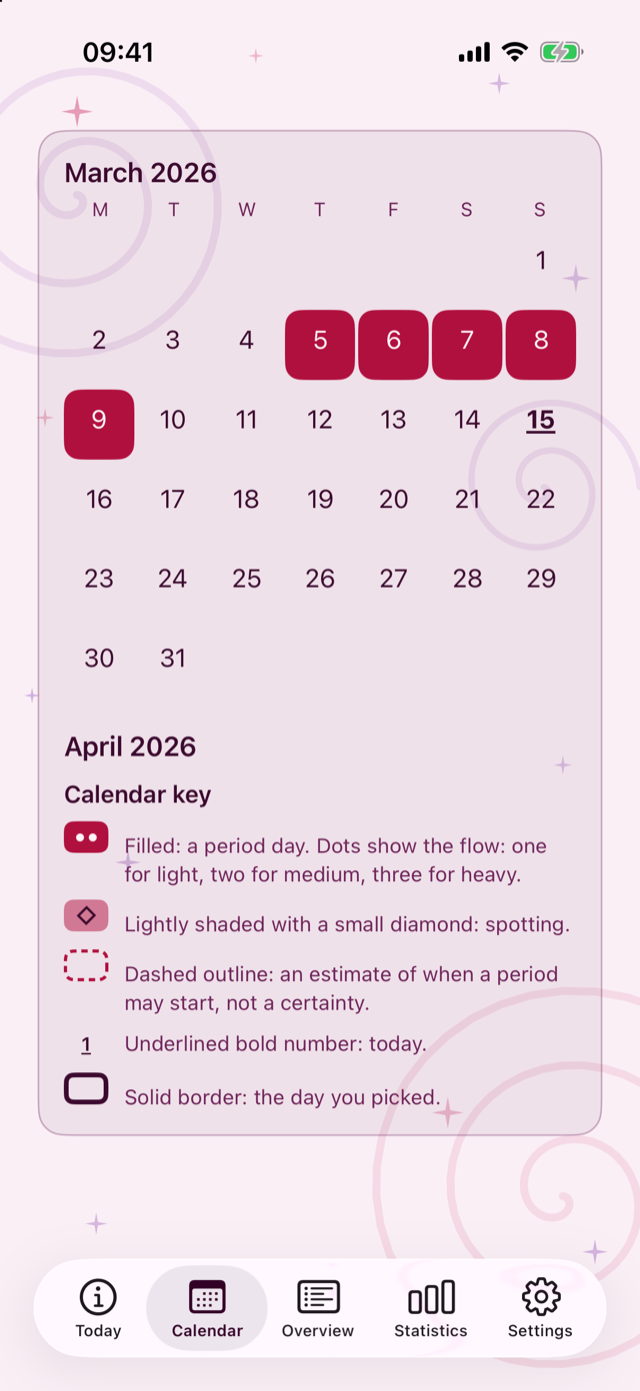
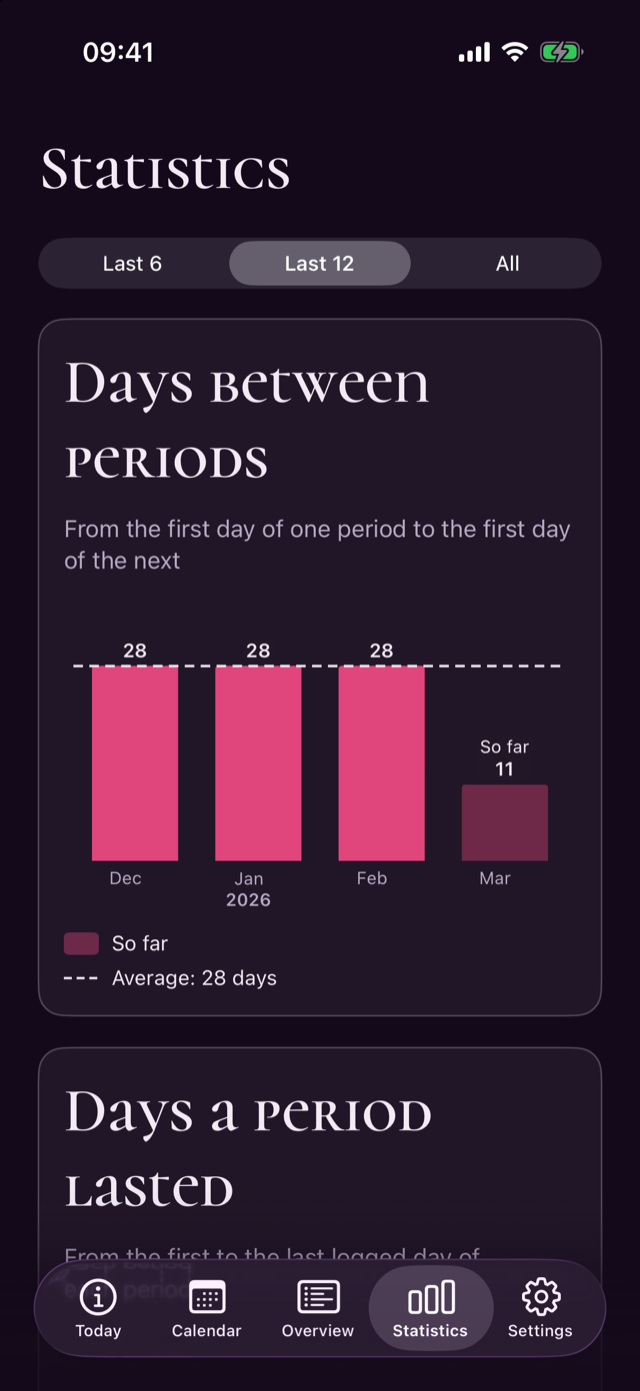
Five looks, one app
All screenshots show invented data.
What Marea does
Built and being tested. Details may change before release.
Log your periods
Period days with an optional flow, and spotting. Fill in past periods you remember in one step.
Today, and a window
Where you are in your cycle, and when your next period may start, from your own records only. An estimate, not a certainty. You can turn it off.
Patterns and statistics
Typical cycle and period length, and bar graphs of your records over the last 6, 12 or all cycles.
A report for your doctor
A PDF of your periods and patterns, with no estimates, made on your device and shared only where you choose.
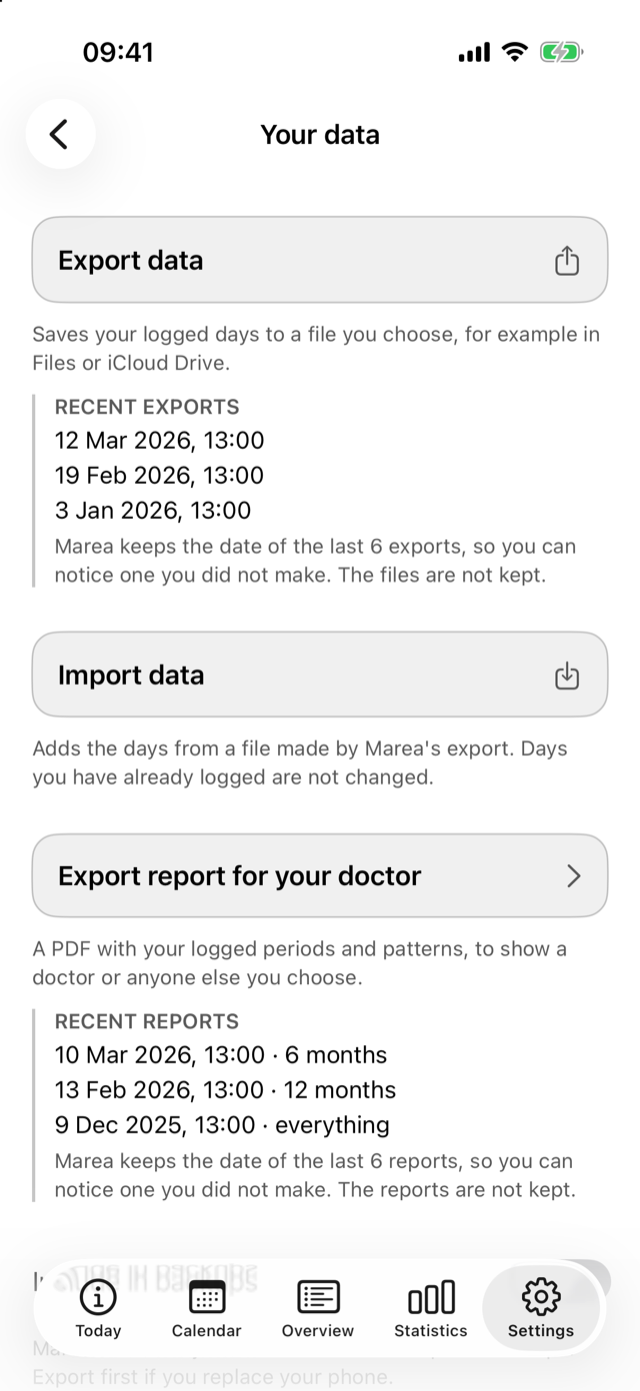
Your data, in your hands
Export, import or erase it at any time. Marea notes when you last exported, so you notice an export you did not make.
Five looks, every screen
Pick a look and a font. On iPhone, iPad and iPhone Duo, with two columns where there is room.
Marea gives no medical advice and makes no fertility, ovulation or contraception claims.
Privacy
Your data stays on your device. No accounts, no network access, no analytics, no ads, and nothing is collected.
Private by construction
All calculation happens on the phone. Data is protected at rest with iOS Data Protection. Nothing shows up in notifications, widgets, the lock screen or the app switcher. By default, Marea's data is left out of iCloud and device backups; you can choose to include it.
Marea does not build its own lock. Since iOS 18, you can require Face ID, Touch ID or your passcode to open any app, and hide it in the Hidden folder. Marea shows you step by step how, but it cannot turn this on for you. Read the draft privacy policy.
The honest limits
- If your phone is compromised, Marea cannot protect your data.
- If someone knows your passcode, or you are forced to unlock your phone, they can open the app.
- Exported files, reports and screenshots are outside the app's protection.
- With backups off and without an export, your data is lost if you lose or replace your phone.
Whether Marea will ever work with Apple Health is not decided. It has no Apple Health integration.
Accessibility and language
Marea is designed to work with VoiceOver, Dynamic Type and Reduce Motion, with meaning never carried by colour alone, and with right-to-left layout. It is available in English, German and Croatian. Arabic, Bosnian and Serbian are planned.
Help
Questions? See support for answers and how to get in touch.
For iPhone and iPad with iOS 18 or iPadOS 18 or later, including iPhone Duo. It also runs on a Mac that can run iPhone and iPad apps.